Elwin: A Bold Decorative Display Font for Impact
In the crowded landscape of modern typography, finding a typeface that genuinely stops the scroll is a rare achievement. Elwin is a stunning decorative display font designed specifically to be the center of attention, distinguishing itself from the sea of safe, neutral choices that dominate contemporary design. Featuring unique artistic elements and a strong visual personality, this premium font serves creators who are ready to break away from the ordinary and inject genuine character into their work. It is not merely a collection of glyphs; it is a stylistic statement that balances avant-garde aesthetics with a professional, polished finish suitable for high-stakes commercial projects.
Defining the Visual Personality of Elwin
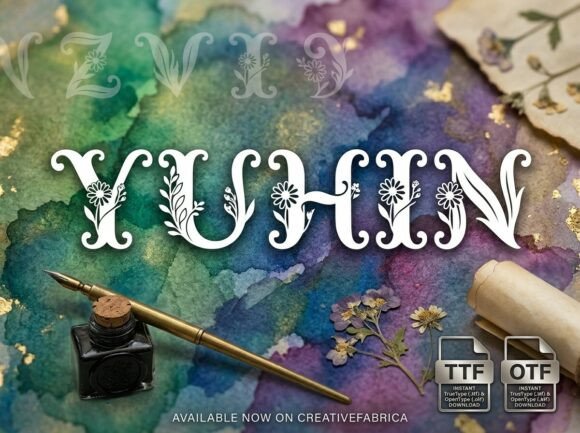
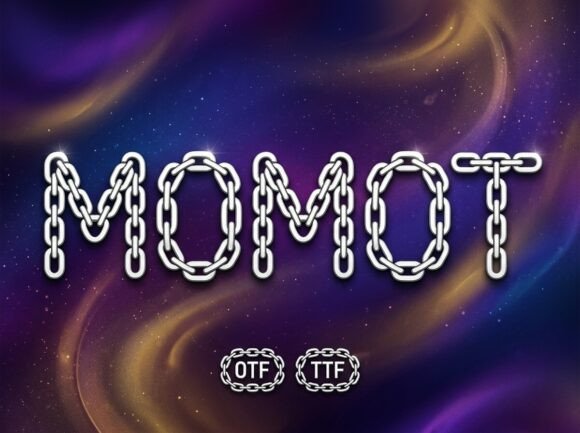
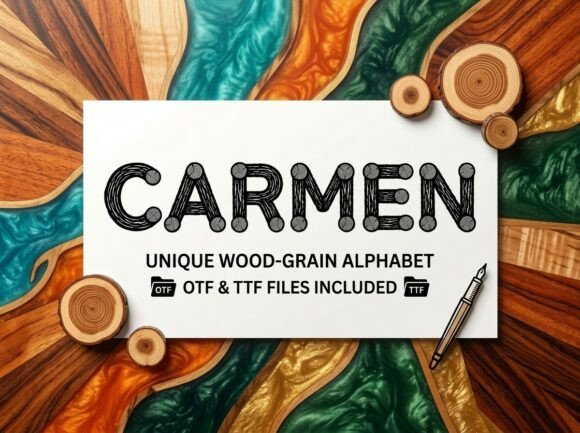
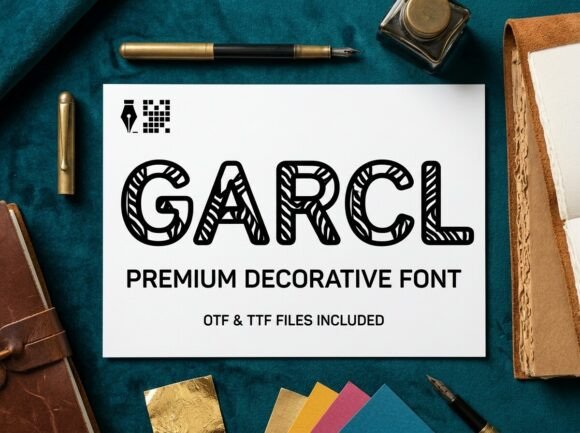
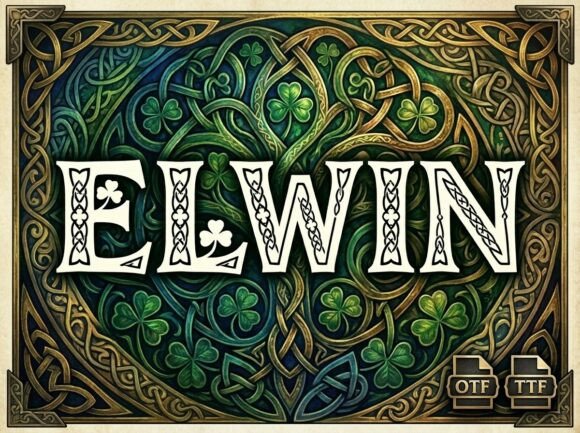
Elwin operates in the space where art meets function. As a creative font, it rejects the subtlety of traditional serif or sans serif body text in favor of unapologetic presence. The letterforms are constructed with intricate details that reward closer inspection, making every character feel like a deliberate design choice rather than a default setting. This level of craftsmanship is essential for designers working on brand identity systems where distinctiveness is paramount. When you select Elwin, you are choosing a typeface that carries its own weight, reducing the need for excessive graphical embellishments or complex illustrations to make a layout feel complete.
The appeal lies in its ability to feel both custom-drawn and structurally sound. Many decorative fonts sacrifice legibility for style, resulting in messy or amateurish outcomes. Elwin maintains a disciplined architecture despite its ornamental nature. This balance makes it particularly valuable for editorial design and luxury packaging, where the typography must convey quality and intentionality. The visual texture created by the font adds depth to flat designs, providing a tactile quality that translates beautifully across both digital screens and printed materials.
Critical Usage Note: Uppercase Only Design
Before integrating Elwin into your workflow, it is vital to understand its specific structural constraints. This font is an ALL-CAPS uppercase-only display typeface. It does not include lowercase letters. This is not a limitation but a deliberate design feature intended to maximize impact. The typeface is engineered for high-impact headlines, logos, and decorative initials where uniformity and vertical rhythm create a cohesive visual block. Attempting to use this font for long-form reading or sentence case will result in poor readability and aesthetic dissonance.
This constraint actually streamlines the design process for specific applications. In logo design and poster art, all-caps compositions often provide better geometric stability and easier alignment. By focusing exclusively on capital forms, the designer has optimized each glyph to interact perfectly with its neighbors in a headline setting. Understanding this parameter upfront prevents frustration and ensures you apply Elwin only where it excels: as a focal point rather than a supporting actor.
Strategic Applications Across Creative Projects
Versatility is often overused in marketing copy, but Elwin genuinely adapts to multiple high-value contexts. For entrepreneurs and small business owners building a brand identity, this typeface offers an immediate upgrade to visual communication. It works exceptionally well for artisanal product packaging, boutique hotel branding, and premium service providers who need to signal exclusivity without resorting to tired clichés. In these scenarios, the font acts as a shorthand for quality, telling the consumer that the brand pays attention to detail.
Content creators and social media managers will find Elwin invaluable for thumb-stopping graphics. On platforms like Instagram and Pinterest, where users scan feeds rapidly, standard typography often blends into the background noise. Elwin’s bold personality creates instant hierarchy, drawing the eye to key messages or promotional offers. Similarly, publishers and bloggers can utilize it for drop caps, chapter titles, or pull quotes to break up dense text and add editorial flair. The font bridges the gap between digital engagement and print sophistication, maintaining its integrity whether viewed on a mobile device or embossed on heavy cardstock.
Enhancing Hierarchy and Brand Perception
Typography is never just about aesthetics; it is a functional tool for guiding user behavior. Elwin influences readability and visual hierarchy by creating clear contrast against simpler body text. When paired correctly, it signals to the reader exactly where to look first. This is crucial in web design and marketing collateral where information architecture dictates conversion rates. A headline set in Elwin commands authority, while the subsequent body copy provides the necessary details. This dynamic relationship improves the overall user experience by making content scannable and digestible.
From a brand strategy perspective, consistency builds recognition. Using a distinctive commercial font like Elwin across touchpoints creates a unified visual language that audiences begin to associate with your specific message. Unlike generic system fonts that appear on thousands of unrelated websites, Elwin helps carve out a unique mental real estate for your brand. The professional finish ensures that this distinctiveness reads as established and trustworthy rather than experimental or unfinished. This perception of professionalism is critical for marketers and publishers aiming to build long-term audience loyalty.
Practical Guidance for Implementation and Pairing
Selecting the right font requires more than falling in love with a specimen sheet; it demands practical evaluation. When considering Elwin, test it within the actual context of your project. Mock up real headlines and logos rather than relying on preview images. Pay attention to spacing and tracking; because the letterforms are decorative, they may require slight adjustments to optical kerning to ensure even color across a line of text. Evaluate whether the font’s personality aligns with your target demographic. While versatile, it leans towards expressive and confident brands. If your project requires whisper-quiet minimalism, this may not be the appropriate choice.
Font pairing is where many designers stumble with display typefaces. Since Elwin is visually rich, it demands a quiet partner. Avoid pairing it with other script fonts, handwritten fonts, or highly stylized serifs that compete for attention. Instead, opt for clean, neutral sans serif or geometric typefaces for body copy. The goal is to let Elwin sing while the supporting text provides a stable foundation. Test multiple weights of your body font to find the perfect contrast ratio. Remember that whitespace is also a pairing element; giving Elwin ample breathing room enhances its elegance and prevents the layout from feeling cluttered.
Technical Specifications and File Formats
Professional execution requires professional assets. Elwin includes both OTF (OpenType Font) and TTF (TrueType Font) files to ensure seamless integration into any workflow. The OTF file is the industry standard for advanced design and layout software like Adobe Illustrator, InDesign, and Affinity Designer, offering superior rendering and support for OpenType features. The TTF file guarantees universal compatibility across older systems, office applications, and basic crafting software like Cricut or Silhouette. Having both formats ensures that your design assets remain accessible regardless of the platform or team member involved.
Always verify commercial licensing before deploying any font in client work or monetized projects. While Elwin is designed for professional use, understanding the specific license terms protects you and your clients from legal issues. Proper licensing is a hallmark of professional integrity in the design industry. Additionally, keep your source files organized. Because Elwin is uppercase only, clearly labeling it in your asset library prevents accidental misuse in body text settings. Treat this typeface as a specialized instrument in your toolkit—powerful and effective when used with intention and precision.